

Website Change Log: A Practical Checklist
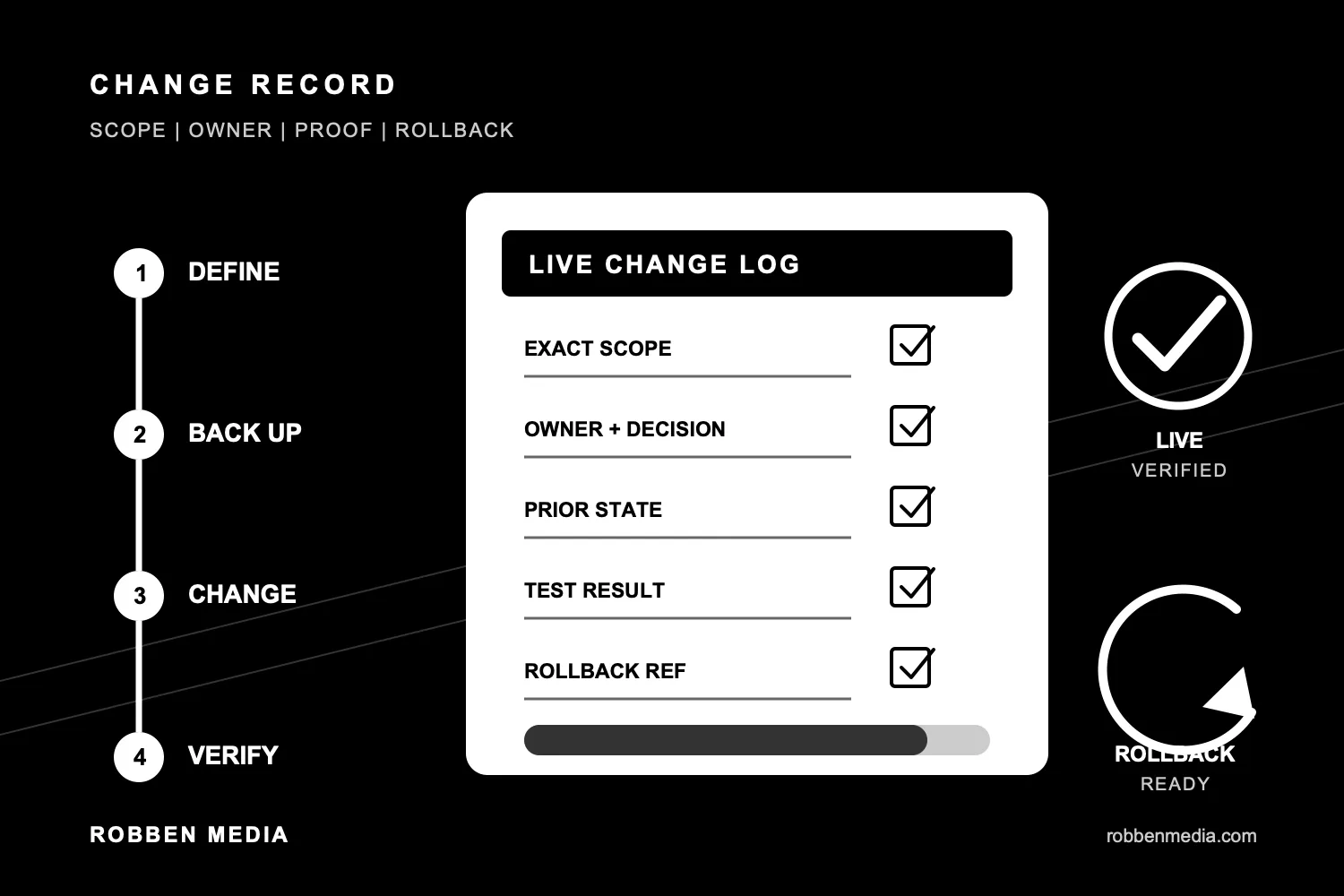
A website change log answers a plain question: what changed, who changed it, and did the website still work afterward?
That sounds basic. It is also the information people scramble to reconstruct when a form stops delivering, a page loses traffic, a plugin update breaks a layout, or nobody remembers why a DNS record exists.
A useful log does not need enterprise software or a meeting for every copy edit. It needs enough detail to connect a change with its business reason, test evidence, and recovery path. The goal is faster diagnosis and safer maintenance, not paperwork for its own sake.
Why a website change log matters
Most website problems are easier to solve when you can establish a timeline.
Suppose a contact form worked on Monday and failed on Thursday. A change log might show that someone updated a form plugin on Tuesday, changed an email-routing record on Wednesday, and replaced the thank-you page on Thursday. That does not prove which change caused the failure. It gives the person investigating a short, testable list.
Without a record, diagnosis starts with guesses. People repeat changes, restore the wrong backup, or blame the most visible tool. That burns time and can make the original problem harder to isolate.
The same record helps with routine questions:
- Was the change approved for the right website?
- Which pages, plugins, scripts, or settings were touched?
- What was the prior state?
- Which customer path was tested?
- What should happen if the change needs to be reversed?
The NIST guide to security-focused configuration management is written for formal information systems, but its core idea scales down well. Identify the approved state, control changes to it, assess the impact, and verify the result. A five-page business website needs less ceremony than a federal system. It still benefits from knowing what changed.
Record the reason and exact scope first
Start the entry before making a consequential change. Record the business reason and the smallest exact scope.
“Update website” is useless six weeks later. A better entry says:
- Replace the phone number in the header and contact page.
- Update WordPress core and three named plugins.
- Change the contact form destination from one approved inbox to another.
- Redirect an old service URL to its current replacement.
- Add a conversion event to the quote-request confirmation page.
Name the website, page URL, component, plugin, integration, or setting. If the change affects a third-party system such as DNS, analytics, email delivery, a CRM, or a booking tool, include that system too.
This scope becomes the test plan. A phone-number change needs link and mobile checks. A form-routing change needs a real submission and destination readback. A plugin update needs stored-state, rendered-page, and customer-path checks.
Name the owner and the decision
Every entry should identify who requested the change, who performed it, and who accepted the result when approval matters.
Those roles can belong to one person on a small site. Naming them still helps. It prevents a support vendor, employee, and marketing partner from making overlapping changes while each assumes someone else owns the outcome.
Also record the decision that allowed the change. That might be a task approval, a reviewed pull request, a maintenance policy, or a client instruction. Link the durable record instead of pasting a vague note such as “approved earlier.”
The decision record matters most when the change affects pricing, claims, legal text, domain ownership, email routing, checkout, security controls, or a live conversion path.
Capture the prior state and rollback path
A rollback needs a precise starting point. “We have backups” does not identify which backup, revision, commit, or configuration contains the last known-good state.
Record the recovery reference that fits the system:
- WordPress post or page ID and revision.
- Database and files backup with creation time and storage location.
- Git commit before the change.
- Exported configuration for a form, plugin, DNS zone, or tag container.
- Screenshot or readback of a small setting when no version history exists.
WordPress has a built-in revision system for saved drafts and published updates. Its official revisions documentation explains that WordPress tracks changes to the title, author, content, and excerpt and can restore an earlier revision. That is useful for content. It does not prove the prior state of plugin settings, media files, redirects, DNS, form destinations, or external integrations.
Code-based sites have a different record. The official Git commit documentation describes a commit as a way to record changes to a repository. A focused commit and clear message can identify the exact prior and new states. It still does not replace a live deployment check.
Write down how to reverse the change and who can do it. If the rollback depends on access nobody has tested, the log should say so before the change reaches production.
Record the test, not just “tested”
A checkbox labeled “QA complete” hides the information the next person needs.
Record the test action and result. For example:
- Submitted the contact form from the live page at 10:14 a.m.; task ID and notification email both arrived.
- Checked the updated page at 390-pixel and 1440-pixel widths; no horizontal scroll and the primary button remained visible.
- Confirmed the old URL returned a permanent redirect to the approved new URL.
- Verified the page title, canonical URL, meta description, featured image, and one visible H1 after deployment.
- Compared the deployed commit with the reviewed pull request head.
The test should follow the risk. A punctuation fix does not need a database restore. A checkout, login, domain, or email-routing change needs more than a visual glance.
Our human QA checklist for website changes covers the broader release pass. The change log is the durable record of what that pass found for one exact update.
Include live verification and the final state
Staging proof says the change worked in staging. It does not prove production received the same change.
Close the entry with the final state:
- Date and time deployed.
- Exact live URL or system record.
- Deployed commit, CMS revision, or object ID.
- Live verification result.
- Any known limitation or follow-up.
- Whether rollback remained available after completion.
If the result is uncertain, say so. Do not turn an unanswered question into “done.” Mark the change held, record what was checked, and name the next safe test.
This is also where a good bug report becomes useful. Our guide to reporting a website problem explains how exact URLs, actions, times, devices, and evidence shorten diagnosis. A change log supplies the other half of that timeline.
Keep the log where the work already lives
Do not create a second tracker nobody maintains.
For a code repository, use focused commits, pull requests, deployment checks, and the existing task system. For WordPress, use revisions plus the established maintenance task or client record. For DNS, analytics, or other managed platforms, store the change evidence in the approved task or operating record that already governs the work.
The format can be short. A complete entry often needs only:
- Change reason and exact scope.
- Requester, implementer, and approval reference.
- Prior-state or backup reference.
- Steps performed.
- Test actions and results.
- Live record, completion state, and rollback path.
Consistency matters more than a fancy template. The record should let another qualified person understand the change without relying on memory or a private chat.
A small log prevents large mysteries
Website maintenance is full of small changes with wide side effects. One plugin update can affect a form. One DNS edit can affect website traffic and email. One renamed page can affect links, ads, analytics, and search visibility.
A change log makes those dependencies visible. It gives support work a timeline, gives rollback a target, and forces the final live check to happen before the work disappears into a completed column.
Robben Media includes this kind of evidence discipline in managed website maintenance. If your website changes are hard to trace or every repair starts with detective work, start a website support conversation.
Jeremy Johnson
Owner
Jeremy co-owns Robben Media and directs strategy for every client engagement. With a Computer Engineering degree from Missouri S&T, he brings deep technical expertise in web development, SEO, and automation. Before acquiring Robben Media in 2023, Jeremy led marketing and branch management in the mortgage industry. He believes marketing should be measured by revenue generated, not impressions reported.