

Website Redesign SEO Migration Checklist
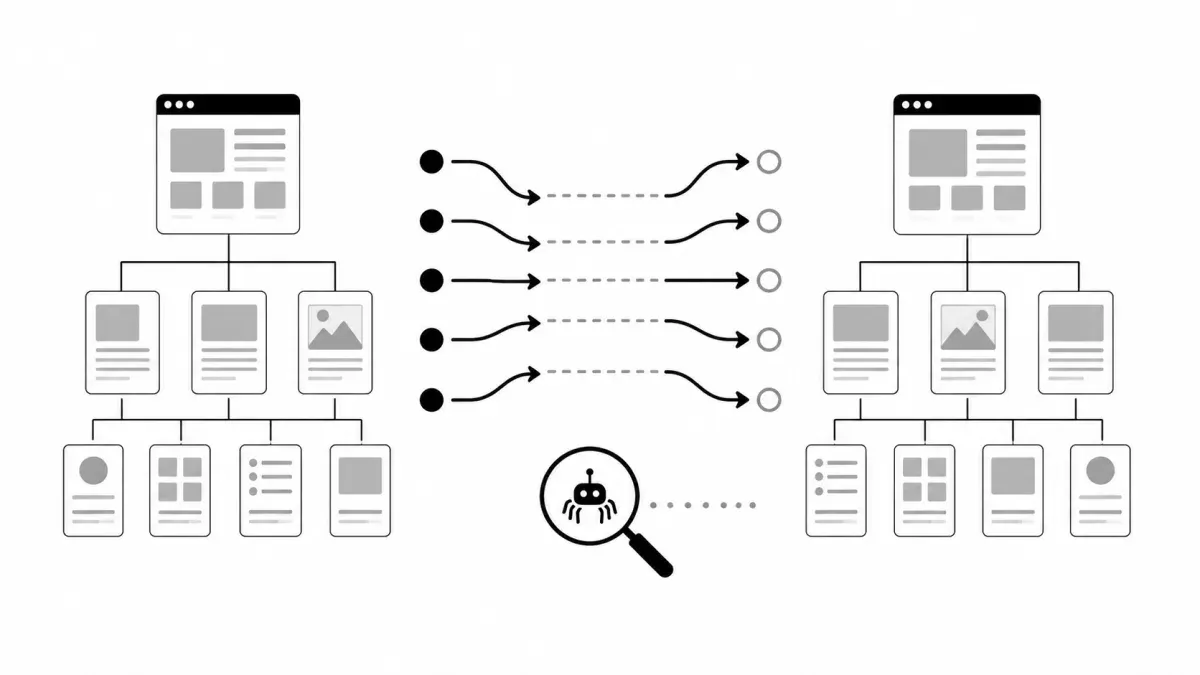
A website redesign can improve the way a business looks, loads, and converts. It can also quietly remove pages that search engines and customers still expect to find.
The danger is usually not the new color palette or navigation. It is the launch decision that changes a service-page URL, retires a location page, moves a resource library, or sends every old address to the homepage. A redesign with URL changes is an SEO migration, whether the team calls it that or not.
Google’s site-move guidance treats this as a controlled transition: test the new site, map old URLs to new ones, configure redirects, and monitor both sides of the move. That is a much better model than launching first and discovering missing pages through a traffic drop later.
First, decide whether URLs are actually changing
Not every redesign is a URL migration. If the domain, paths, and canonical page addresses stay the same, the work is primarily a platform or infrastructure launch. It still needs thorough testing, but it does not need a redirect map for pages that have not moved.
If URLs are changing, treat the project differently. Common examples include:
- Replacing
/old-service-page/with a new service structure. - Moving from one domain or subdomain to another.
- Consolidating several thin pages into one stronger page.
- Changing location-page, blog, category, or resource-center paths.
- Moving a site to a new CMS that generates different URLs.
For an unchanged-URL launch, Google recommends testing on a temporary hostname, preventing that test site from being indexed, confirming that Googlebot can access the production version, and monitoring after cutover. Its guidance for site moves without URL changes is the relevant playbook.
Inventory the current site before design decisions erase it
Start with an export of the URLs that matter. Include live service pages, location pages, blog posts, landing pages, PDFs or assets that earn traffic, and pages used in campaigns or external links. Search Console, analytics, a current sitemap, the CMS, and backlink reports each reveal a different part of that inventory.
For every old URL, record one decision:
- Keep the URL unchanged.
- Move it to one specific new URL.
- Consolidate it into the closest relevant replacement.
- Retire it because there is genuinely no useful replacement.
This is the redirect map. It should be a reviewable source-of-truth table before launch, not a last-minute list assembled after pages disappear. An old page with a strong backlink or a useful search query may deserve a better destination than a broad category or homepage.
Redirect each retired page to the closest real replacement
Google recommends permanent server-side redirects such as 301 or 308 when a page has moved. The important part is relevance: an old roofing page should lead to the new roofing page that replaces it, not a generic home page because it is convenient.
Avoid two common shortcuts:
- Do not point every retired URL at one broad destination. Google can treat irrelevant mass redirects as soft 404s, which does not preserve the useful relationship between the old and new content.
- Do not create chains such as old URL → temporary URL → final URL. Send the original URL directly to its final destination whenever possible.
If a page has no appropriate successor, returning a real 404 or 410 is more honest than pretending an unrelated page replaces it. Google’s redirect documentation explains the distinction and the reasons to avoid redirect chains.
Make the new site internally consistent
Redirects alone do not complete the migration. The new site should describe itself clearly:
- Update navigation, body links, XML sitemaps, and campaign links to use the new URLs.
- Put a self-referential canonical on each indexable new page.
- Update
hreflangannotations if the site uses them. - Publish an XML sitemap containing the new canonical URLs, then submit it in Search Console.
- Remove development blocks, staging directives, or accidental
noindexrules before launch.
A sitemap helps Google discover pages; it is not a substitute for crawlable links, correct canonicals, or working redirects. Google’s sitemap guidance is explicit about that separation.
Test the migration before customers see it
Use a staging site or controlled preview to test the new customer paths and the migration mechanics separately. The checklist should cover at least:
- The old-to-new URL map has a destination for every important old page.
- Important old URLs return one direct permanent redirect to the intended new URL.
- The new destination returns
200, renders the correct content, and declares the expected canonical. - Navigation, internal links, forms, phone links, analytics, and conversion events work on the new site.
- The XML sitemap lists the new canonical URLs rather than old or staging URLs.
- The production site is not blocked by robots rules, password protection, or
noindexleft over from staging.
This is also where a website redesign project becomes an operating handoff rather than a visual replacement. Design, SEO, analytics, forms, and redirects have to agree on the same final site.
Watch the transition after launch
Do not promise that a substantial migration will leave rankings untouched. Google notes that it can take time to recrawl and reindex a moved site, and some temporary movement is normal. The purpose of launch monitoring is to distinguish that transition from a preventable technical failure.
Verify both the old and new properties in Search Console. Then watch the sitemap report, Page Indexing data, URL Inspection results, Performance data, and server logs. Look for unexpected 404s, redirect targets that do not match the map, canonical disagreements, blocked pages, and high-value URLs that are not being discovered.
When traffic changes, diagnose before assigning blame. Google’s traffic-drop debugging guide recommends comparing performance by page, query, country, and device while also checking for broader technical or security issues.
Keep permanent redirects in place for the long term. Google generally recommends at least a year, and a useful redirect may need to stay longer when customers, links, printed materials, or bookmarks still depend on the old address.
Use the Change of Address tool only when it applies
Search Console’s Change of Address tool is useful for eligible domain or subdomain moves. It is not a universal redesign button. It does not apply to every HTTPS change, www/non-www adjustment on the same domain, or path-only cleanup. The redirect map and post-launch verification still matter in every case.
A redesign should make a business easier to find and use. The safe way to get there is simple: inventory what exists, map what moves, redirect to the closest real replacement, test the customer path, and monitor the transition with evidence instead of optimism.
If you are planning a redesign, Robben Media can help turn the launch into a controlled website, SEO, and conversion migration—not a game of finding broken pages after the fact. Start with a website design conversation before the URL decisions are already baked into the build.
Jeremy Johnson
Owner
Jeremy co-owns Robben Media and directs strategy for every client engagement. With a Computer Engineering degree from Missouri S&T, he brings deep technical expertise in web development, SEO, and automation. Before acquiring Robben Media in 2023, Jeremy led marketing and branch management in the mortgage industry. He believes marketing should be measured by revenue generated, not impressions reported.