

Website Forms Are a Revenue System
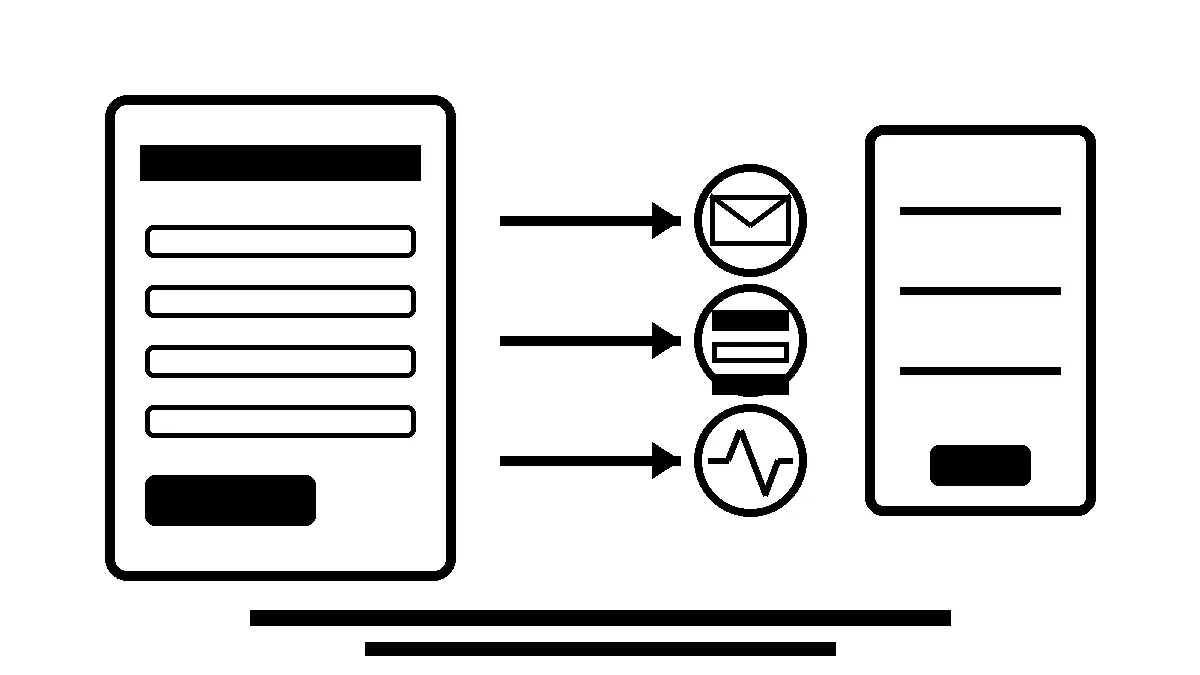
A contact form is not just a box on a website. It is part of the revenue system.
That sounds a little dramatic until the first good lead disappears.
A customer fills out the form. The site says “thank you.” Nobody on the team gets the email. The owner assumes lead volume is slow. Marketing gets blamed. SEO gets questioned. The actual problem is quieter: the form worked on the screen, but the lead never made it to the person who could follow up.
That is why website forms need to be treated like operations, not decoration.
A form has more moving parts than it looks like
Most business owners see one simple thing: fields, a submit button, and a confirmation message.
Behind that, a form may depend on:
- the CMS or form plugin,
- spam protection,
- email routing,
- DNS authentication,
- SMTP or transactional email delivery,
- CRM or automation handoff,
- analytics events,
- thank-you pages,
- notification rules,
- backups and update checks.
Any one of those can drift.
A plugin update can change validation. A mailbox rule can hide notifications. A DNS change can make form emails look suspicious. A spam filter can reject messages without anyone noticing. A tracking tag can count button clicks but miss successful submissions.
The form on the page may still look fine.
That is the dangerous part.
The thank-you message is not enough proof
A thank-you message proves the visitor saw a response. It does not prove the business received the lead.
For a local service business, the proof chain should be stronger:
- The visitor can submit the form.
- The form stores or sends the lead somewhere recoverable.
- The right person receives the notification.
- The lead source is tracked in analytics or the CRM.
- Failed submissions, spam blocks, or delivery problems can be found later.
If the only test is “the page showed success,” the business is trusting the weakest possible version of the system.
A better test asks what happened after the click.
Lead tracking should separate form activity from real leads
Google Analytics 4 supports recommended events such as generate_lead, and form interactions can also be tracked through a tag setup. That is useful, but it still needs judgment.
A form start is not a lead. A button click is not always a submission. A thank-you-page view can be inflated if someone refreshes or bots hit the path. A real lead usually needs one of three signals:
- the form submitted successfully,
- the CRM or email system received the lead,
- a call, booking, or quote request happened through another tracked path.
This matters when a business asks, “Why are we getting traffic but not leads?”
Sometimes the page needs stronger copy, proof, photos, reviews, or a clearer offer. Sometimes the traffic is not a good fit. But sometimes the leads are there and the tracking is wrong. Or worse, the leads tried to come through and the delivery system failed.
You cannot fix the right problem until you know which one you have.
Forms should match the buyer’s urgency
Not every form should ask for the same information.
A roofing emergency form, dental appointment request, HVAC quote form, and law firm consultation form all carry different levels of urgency and trust risk.
A good form asks for enough information to help the team respond well without making the visitor work too hard.
For many service businesses, that means:
- name,
- phone or email,
- service needed,
- location or service area,
- short message,
- preferred timing when relevant.
If the job is urgent, the phone number and response expectation matter more. If the job needs detail, the form can ask for photos, project notes, or budget range, but only when that helps the follow-up.
Do not make the form long just because the team wants cleaner intake. Every extra field is a tradeoff.
Spam protection should not punish real customers
Spam protection is necessary. Broken spam protection is expensive.
CAPTCHAs, hidden fields, rate limits, firewall rules, and security plugins can all reduce junk. They can also block legitimate customers if they are set up poorly or never tested after updates.
The goal is not to make the form impossible for bots. The goal is to let real buyers contact the business while keeping spam manageable.
That means testing forms from normal devices, not just from the admin dashboard. It also means checking whether accessibility, mobile usability, and privacy expectations are reasonable.
If a customer has to fight the form, some of them will leave.
Email delivery needs its own checks
Many forms still depend on email notifications. That is fine when email is configured and monitored properly.
It is risky when the site sends mail from the web server with weak DNS authentication, old plugin settings, or no delivery log.
A more reliable setup usually includes:
- a known sender address,
- SPF, DKIM, and DMARC alignment where appropriate,
- SMTP or transactional email delivery instead of raw server mail,
- a backup copy in the website, CRM, or form tool,
- periodic test submissions,
- someone responsible for fixing failures.
The key is redundancy. If an email gets filtered, the lead should not vanish forever.
Maintenance should include form testing
Website maintenance is often sold as updates, backups, and security checks. Those matter. But for a lead-generation site, form testing belongs in the same conversation.
A practical care plan should include:
- test submissions after plugin, theme, or framework updates,
- confirmation that notifications reach the right inbox,
- review of stored entries or CRM handoff,
- analytics event checks,
- spam and failed-delivery review,
- mobile form checks,
- uptime and SSL monitoring around key conversion pages.
This is not glamorous work. Good.
The point is to catch boring failures before they cost real money.
How Robben Media thinks about forms
When Robben Media reviews a website, we do not treat forms as a design afterthought.
We look at whether the form supports the business goal:
- Can a visitor understand what to do next?
- Is the form easy to use on mobile?
- Does the CTA match the service and urgency?
- Are calls, forms, and booking paths tracked clearly?
- Does the business receive and store leads reliably?
- Is there proof that the system still works after updates?
The best website in the world does not help much if the lead path breaks quietly.
That is why form delivery, tracking, and follow-up should be part of website care, SEO, and CRO. They are not separate chores. They are how the site turns attention into revenue.
The business takeaway
Do not judge a form by how it looks on the page.
Judge it by whether real customers can use it, whether the business receives the lead, whether the source is tracked, and whether someone would notice if the system broke.
For a service business, that is the difference between “the website is up” and “the website is doing its job.”
Robben Media can help with managed website care, website maintenance, and SEO/CRO audits.
Sources
Jeremy Johnson
Owner
Jeremy co-owns Robben Media and directs strategy for every client engagement. With a Computer Engineering degree from Missouri S&T, he brings deep technical expertise in web development, SEO, and automation. Before acquiring Robben Media in 2023, Jeremy led marketing and branch management in the mortgage industry. He believes marketing should be measured by revenue generated, not impressions reported.